How to post a panorama carousel on Instagram
A panorama carousel slices one wide photo across several slides, so the picture keeps going as people swipe. Done right there are no seams: it reads as one frame.
The rule that makes it seamless
Instagram shows every slide in a carousel at the same shape. So cut all slices from one image, at exactly the same width and height, and put them in order. If one slice is a few pixels off, you'll see a step at the join.
The wide image you start from is just the slide shape multiplied by the number of slides:
| Slides | Portrait 4:5 slides | Square slides |
|---|---|---|
| 2 | 2160 × 1350 | 2160 × 1080 |
| 3 | 3240 × 1350 | 3240 × 1080 |
| 4 | 4320 × 1350 | 4320 × 1080 |
Each slice is then 1080 × 1350 (portrait) or 1080 × 1080 (square).
The quick way: Panorama in Swatch PRO
- Add the wide photo to your grid in Swatch and tap Edit.
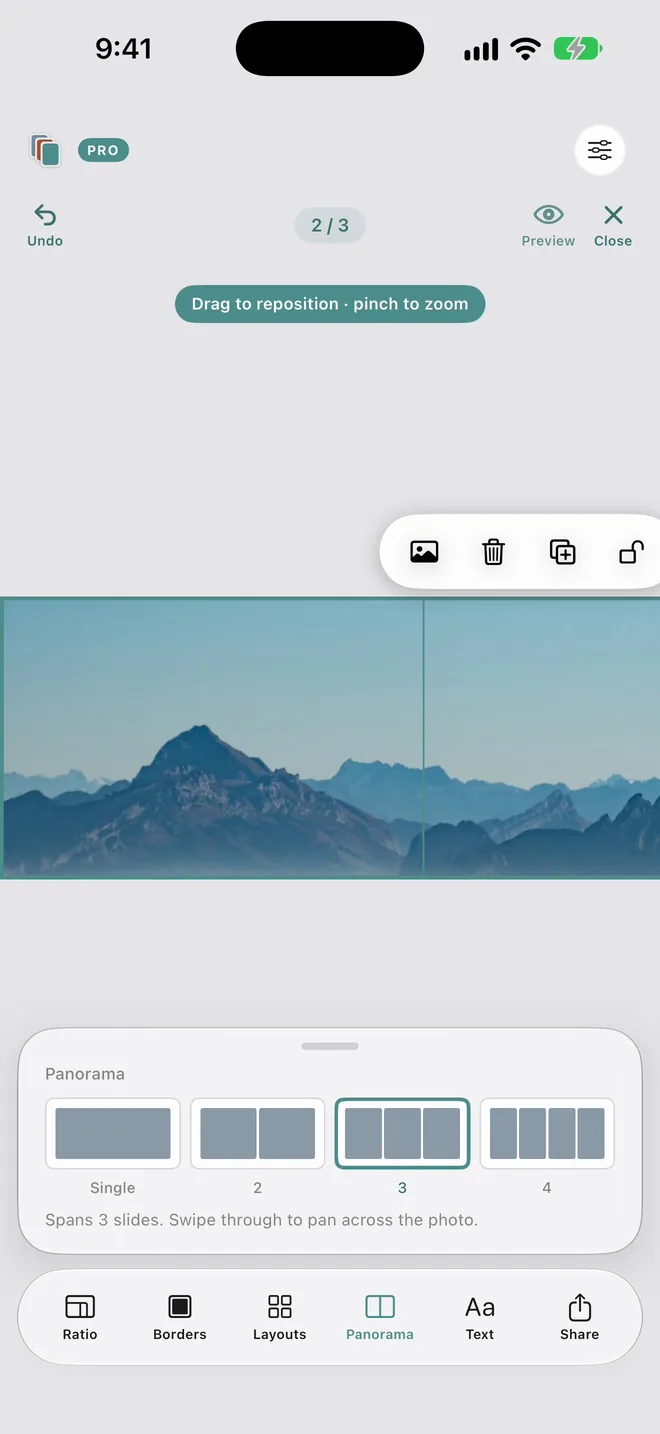
- Tap Panorama and pick 2, 3 or 4 slides. Swatch slices it evenly for you.
- Drag to reposition and pinch to zoom until nothing important sits on a join.
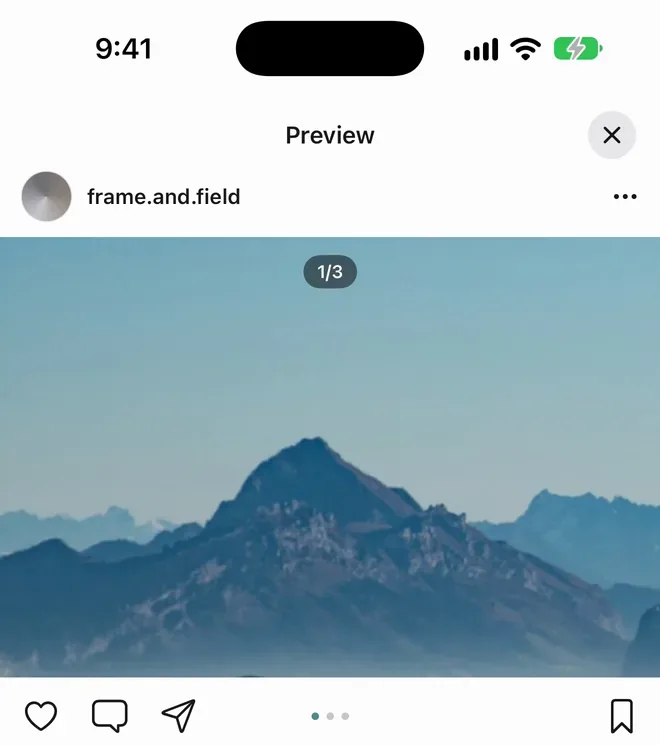
- Open Preview and swipe through it exactly as it will look in the feed.
- Tap Share. The slides save to Photos in order, then pick them in that order in Instagram.
Check it before it's live
The swipe in Preview is the swipe your followers get, including the 1/3 counter and the dots. If a face or a horizon breaks badly at a join, move the photo and check again.
Doing it by hand
In Lightroom or Photoshop, crop the photo to the ratio in the table, export it, then cut it into equal slices (Photoshop's slice tool or three equal canvas crops). Export every slice at the same size and post them in left to right order.
Tips from photographers
- Keep faces, horizons and text off the joins.
- The first slide is all your grid shows, as a 3:4 thumbnail. Give it its own subject.
- Wide scenes with a clear direction (a coastline, a street, a ceremony aisle) make people want to keep swiping.
Questions
Why is there a visible line between my slides?
The slices are not exactly the same width, or the slides are different shapes. Instagram gives every slide in a carousel one shape, so cut all slices from one image at exactly the same width and height.
How many slides can a panorama use?
Instagram allows up to 20 items in a carousel. Most panoramas read best across 2 to 4 slides, which is what Swatch's Panorama offers.
What shows in my grid?
Only the first slide, cropped to the 3:4 grid thumbnail. Frame the first slice so it works on its own.
Is Panorama free in Swatch?
Panorama is part of Swatch Pro, a one-time payment with no subscription. You can try it on your own photos before you buy.
Plan the next nine in Swatch.
Free to download on iPhone. One payment unlocks Swatch Pro for good, with no subscription.
Download on the App Store →