Plan your Instagram grid on the big screen.
Swatch Desktop puts your library beside a full-size phone, so you can plan a whole shoot on your computer. It's the same grid as your iPhone, synced through your private iCloud. Included with Swatch Pro: one payment, no subscription.
No sign-in needed. Already have Pro? Open the dashboard.
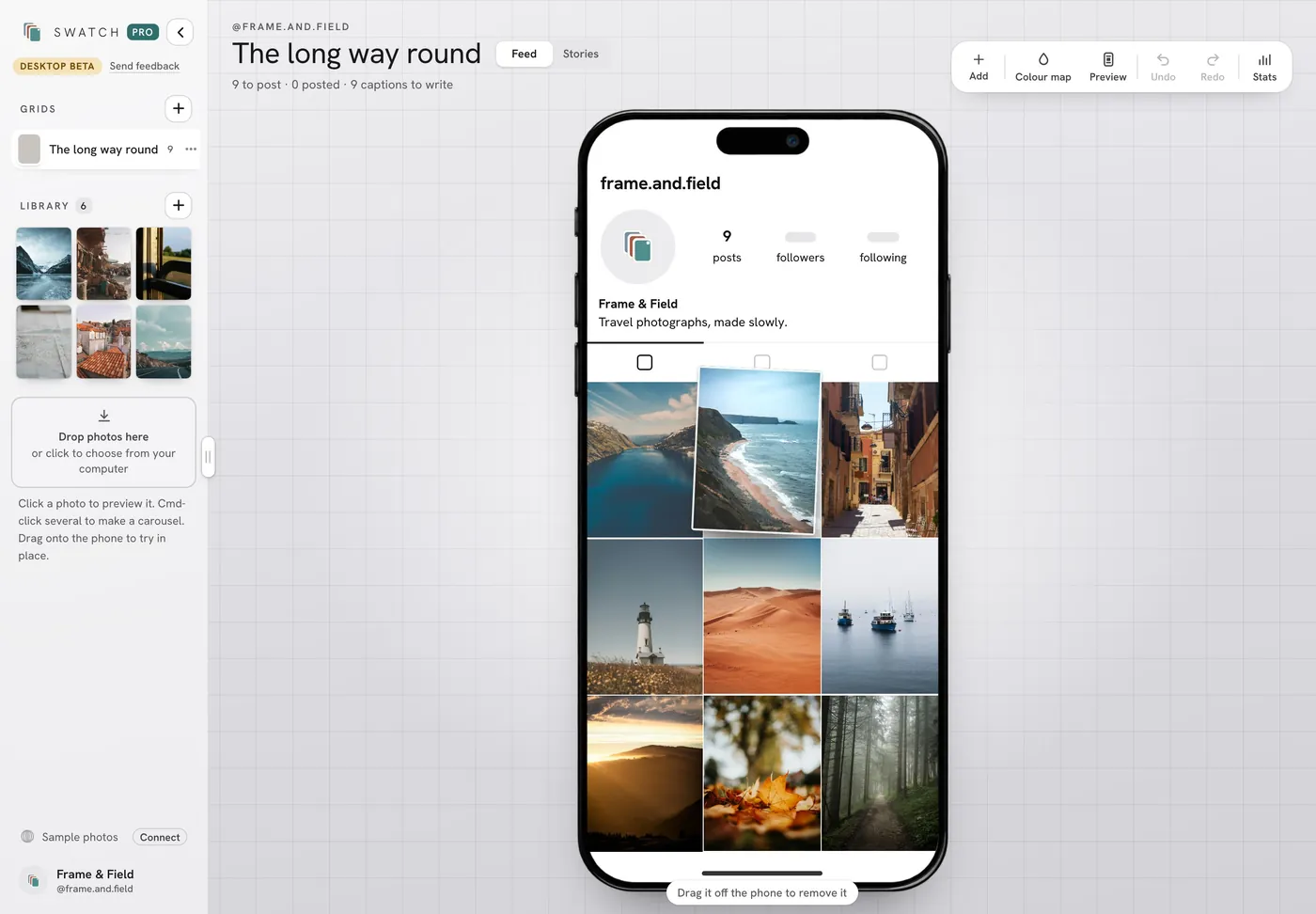
Drag your shoot onto the phone
Drop photos from your computer into the library, then drag them straight onto the phone to try them in place. Move posts around the grid until the set works.
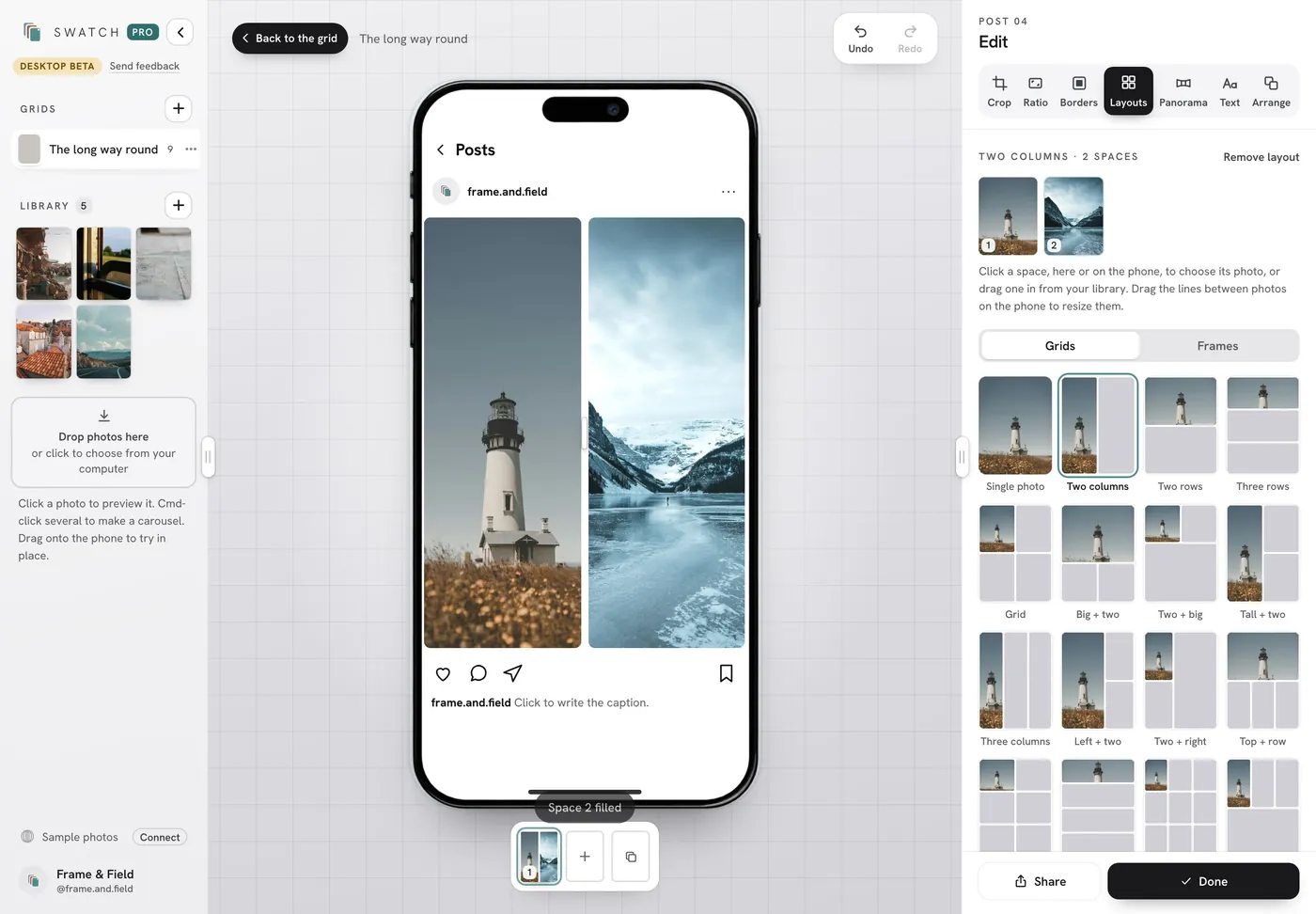
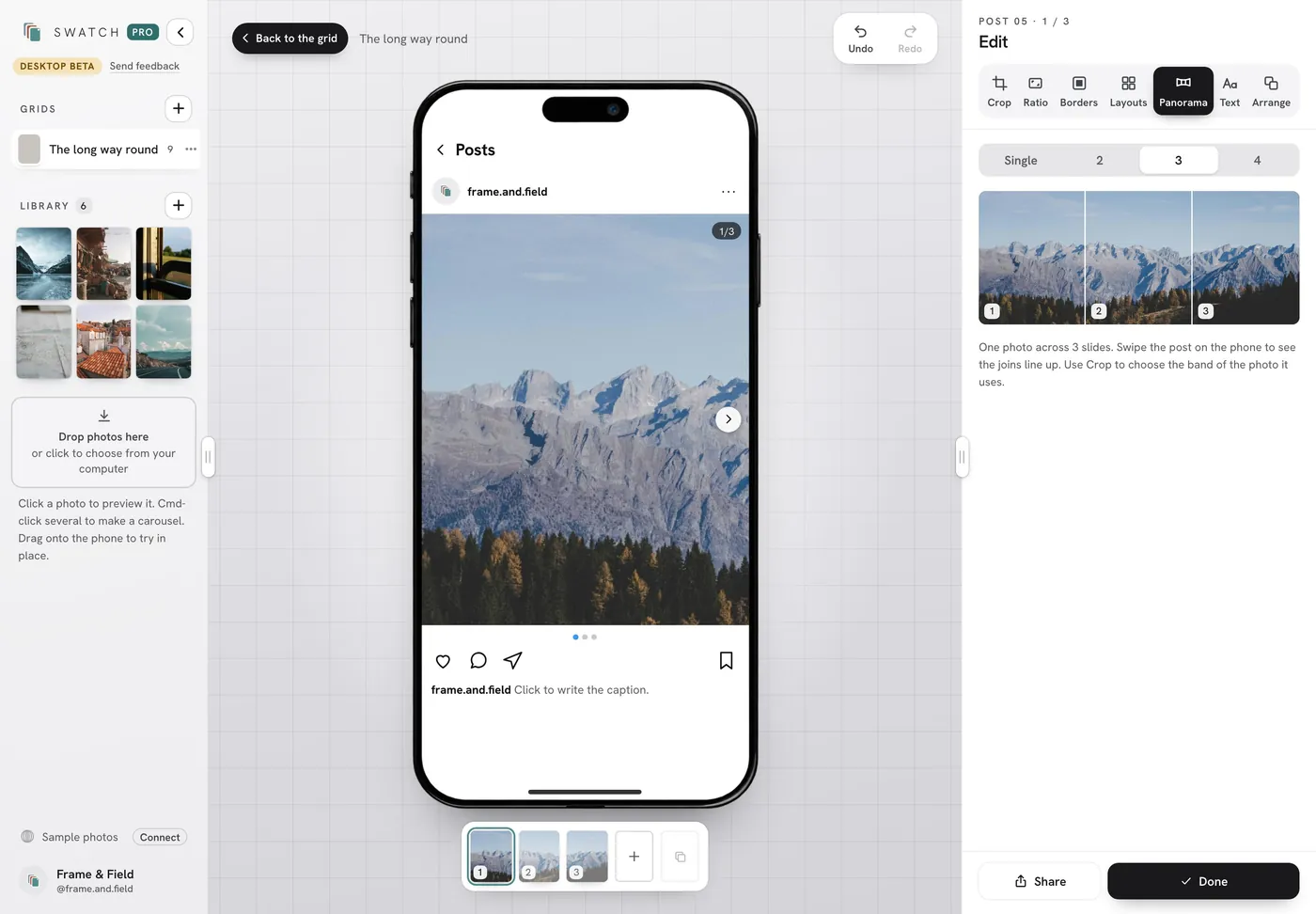
Shape posts with room to see them
Layouts, Borders, Panorama, Text and Crop sit beside the phone, so you see the post change as you work. Build a carousel or Stories without squinting.
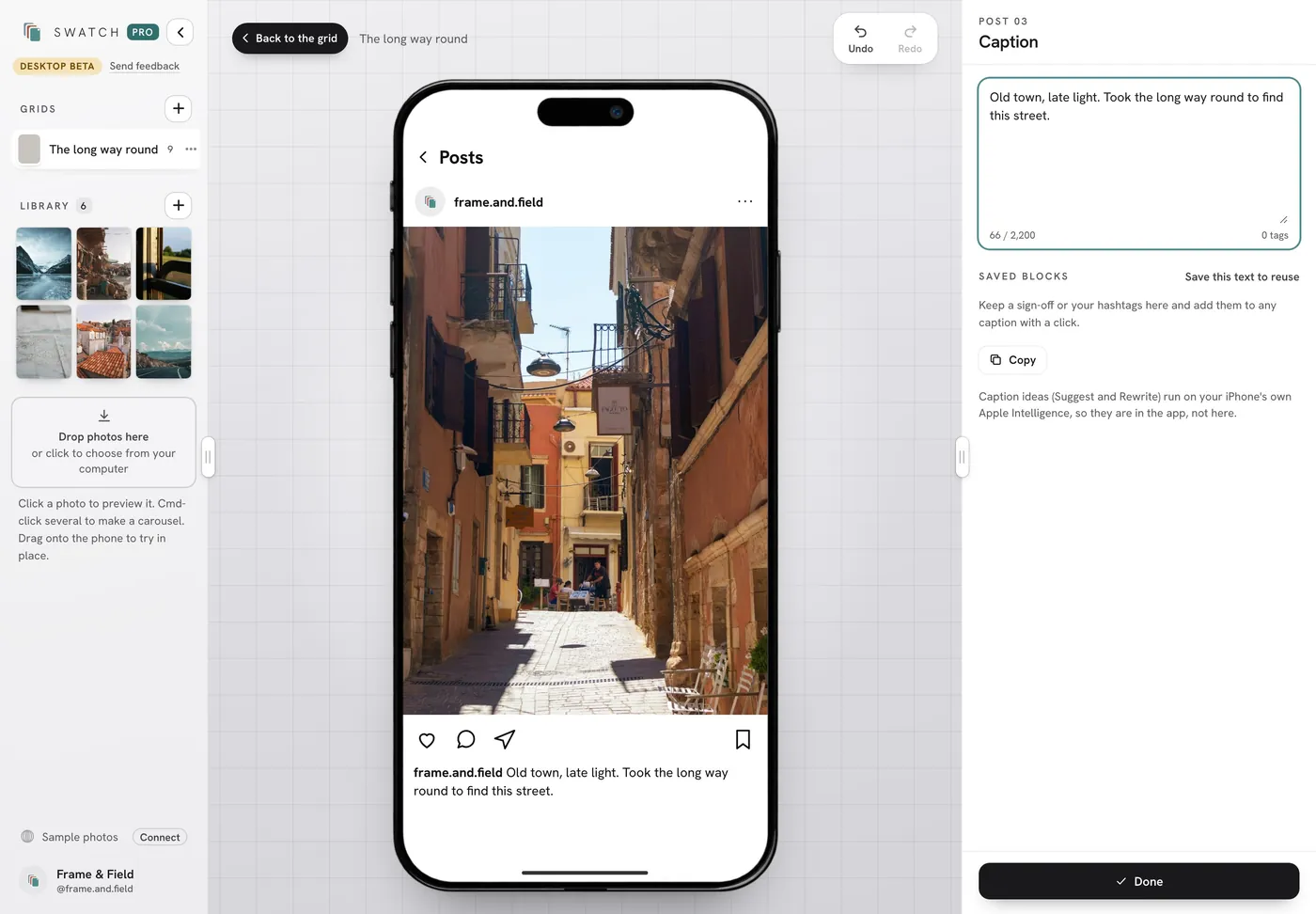
Write captions on a real keyboard
Write and edit captions at your desk, keep saved blocks for sign-offs and hashtags, then copy them when you post.
Why plan this way
- Your phone and computer stay in step. Posts, photo edits and captions sync both ways through your private iCloud.
- No Instagram login. Swatch plans; you post.
- No subscription. The dashboard comes with Swatch Pro, a single payment in the iPhone app.
- What you see is the phone. You plan on a full-size phone, in the shape your followers see.
Questions
Do I need the iPhone app?
Yes. Install Swatch on an iPhone running iOS 17 or later and unlock Swatch Pro there. Then open the dashboard in a browser on your computer and sign in with the same Apple Account you use for iCloud on your iPhone.
Is there anything to download?
No. It's a browser app, with no separate desktop download or purchase. It needs an internet connection.
Do I need to log in to Instagram?
No. Swatch never asks for your Instagram login. You stay in charge of posting: download the photos and copy the caption, or carry on with the synced post in the iPhone app.
What syncs between my iPhone and computer?
Your posts, photo edits and captions sync both ways through your private iCloud. The desktop photo library stays in that browser until you add a photo to a post. See the desktop FAQ for the details.
Can I try it before I buy Pro?
Yes. Open the demo to try it with sample photos, no sign-in needed. Nothing in the demo is synced.
Is it finished?
It's in beta, and it's improving quickly. Use the Send feedback link in the dashboard to tell us what you need.
Plan the next nine in Swatch.
Free to download on iPhone. One payment unlocks Swatch Pro for good, with no subscription.
Download on the App Store →