Instagram carousel size for 2026
The Instagram carousel size for 2026 is 1080 × 1350 (4:5) for each slide, or 1080 × 1440 (3:4) to fill the grid tile. You can post up to 20 slides, and every one takes the shape of the first.
| Shape | Each slide | On the grid |
|---|---|---|
| 3:4 portrait | 1080 × 1440 | The first slide shows whole |
| 4:5 portrait | 1080 × 1350 | Loses about 6% from the sides |
| 1:1 square | 1080 × 1080 | Loses 25% from the sides |
| 1.91:1 landscape | 1080 × 566 | Loses 61% from the sides |
Last checked November 2026. Instagram doesn't publish one master list, so check a new shape in the app before relying on it. Every other format is in the full Instagram post sizes table.
The rule: the first slide decides
Every slide in a carousel takes the shape of the first one. Lead with the shape that suits the set, or put each photo on the same white border so nothing is cut.
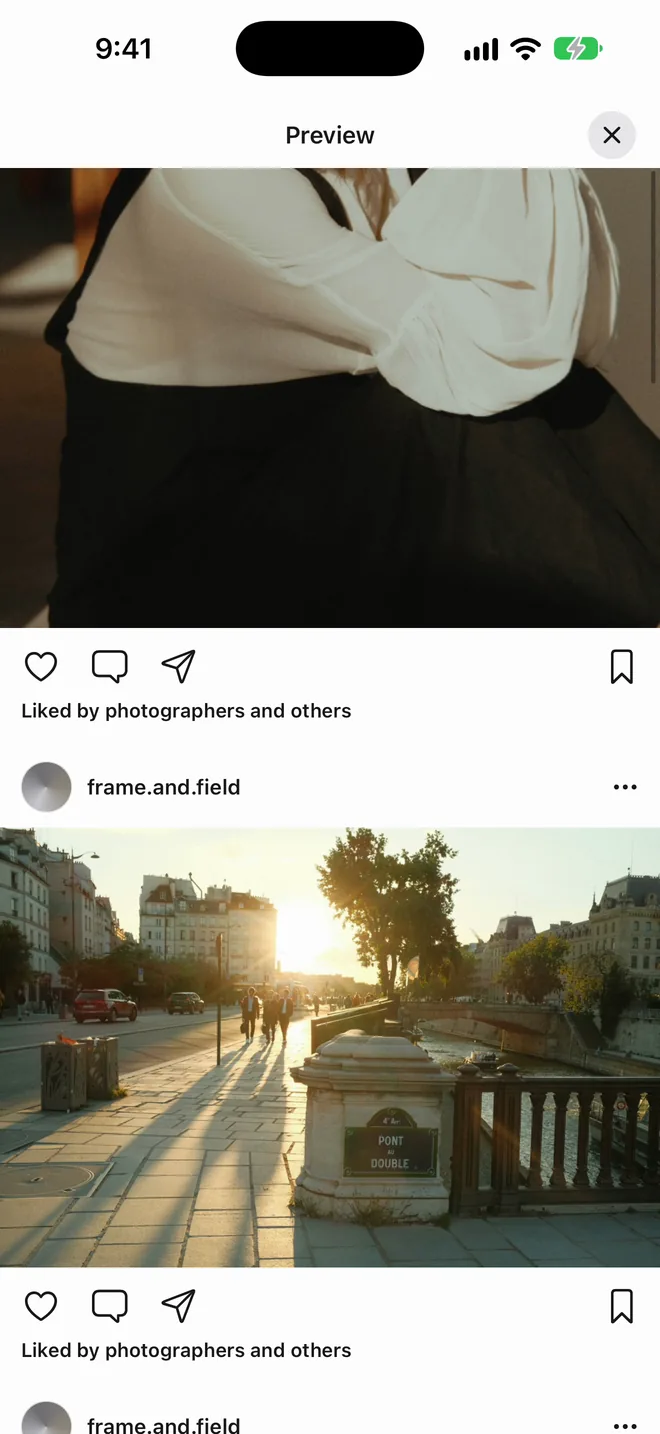
See every slide before you post
In Swatch, Preview shows each slide at the shape it lands in the feed, so a landscape that gets cut shows up while you can still fix it.
Seamless carousels
For one picture running across every slide, start from the slide size times the number of slides. See how to make a seamless carousel, or cut one now with the free carousel splitter.
Questions
What is the best size for an Instagram carousel?
1080 × 1350 (4:5) for most carousels. Use 1080 × 1440 (3:4) if you want the first slide to fill the grid tile exactly.
Can carousel slides be different sizes?
Plan for one shape. Every slide takes the shape of the first, so a landscape after a portrait first slide gets cut. Add borders if you mix shapes.
How many photos can a carousel have?
Up to 20.
What size is a seamless carousel?
The slide size times the number of slides, so three 4:5 slides start from 3240 × 1350. The free splitter cuts it for you.
Plan the next nine in Swatch.
Free to download on iPhone. One payment unlocks Swatch Pro for good, with no subscription.
Download on the App Store →