How to make a seamless Instagram carousel
A seamless carousel runs one picture across every slide, so it keeps going as people swipe. Here's the size to start from, how to make one in Canva or from a photo, and how to cut it without a visible join.
1. Start from the right canvas
Instagram shows every slide in a carousel at one shape. So the canvas is the slide size multiplied by the number of slides:
| Slides | 4:5 slides | 3:4 slides | Square slides |
|---|---|---|---|
| 2 | 2160 × 1350 | 2160 × 1440 | 2160 × 1080 |
| 3 | 3240 × 1350 | 3240 × 1440 | 3240 × 1080 |
| 4 | 4320 × 1350 | 4320 × 1440 | 4320 × 1080 |
| 5 | 5400 × 1350 | 5400 × 1440 | 5400 × 1080 |
| 6 | 6480 × 1350 | 6480 × 1440 | 6480 × 1080 |
| 10 | 10800 × 1350 | 10800 × 1440 | 10800 × 1080 |
2. Design across the joins
- Let shapes, lines and photos cross from one slide to the next. That's what pulls people into the swipe.
- Keep text and faces inside one slide, away from the cuts.
- The first slide is all your grid shows, as a 3:4 tile, so give it a subject of its own.
3. Cut it into equal slides
Put the finished image into the free carousel splitter. Pick the number of slides and the shape, check the swipe preview and download the slides, numbered in order. It runs in your browser, so nothing is uploaded.
In Canva: make a design at a custom size from the table, design across the full width, download it as one PNG or JPEG, then cut it in the splitter.
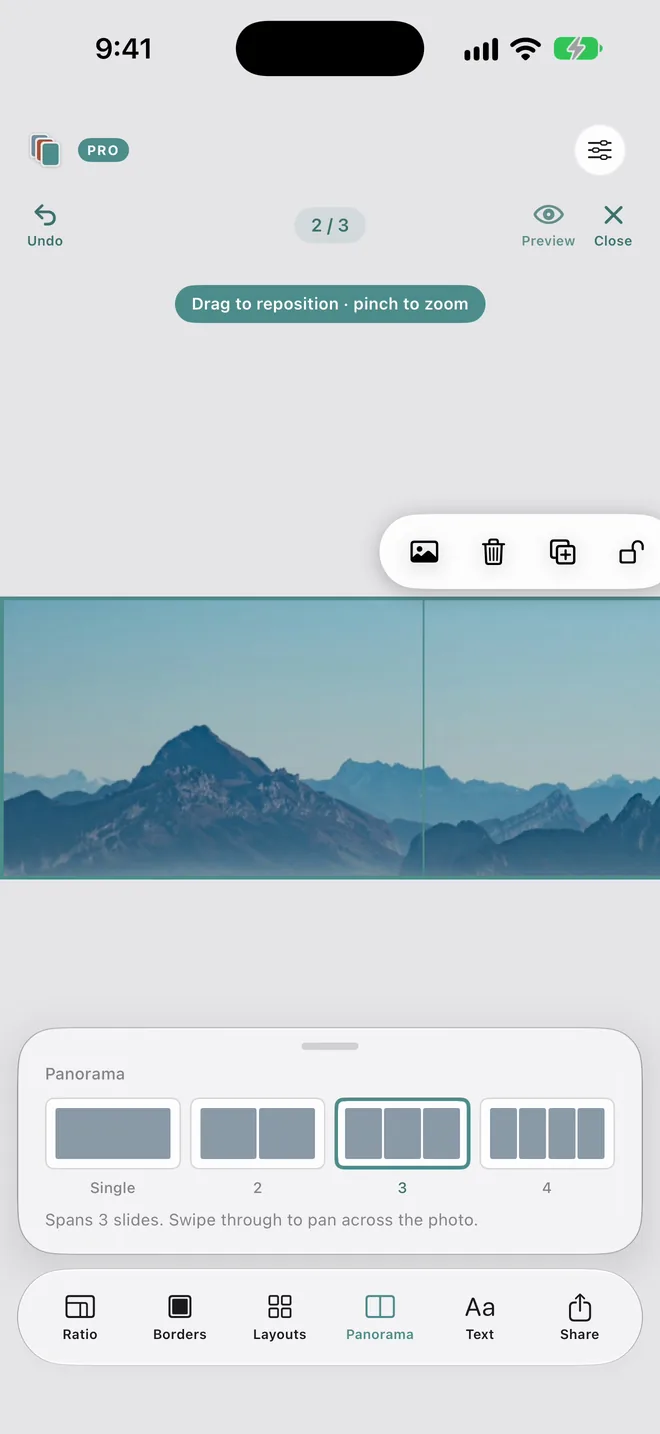
From a photo, in your grid PRO
In Swatch, tap Panorama on a photo and pick 2, 3 or 4 slides. You see the post in your grid beside your other posts and swipe it in Preview, then Share saves the slides to Photos in order.
4. Post the slides in order
In Instagram, tap + then Post, choose select multiple and pick the slides from 1 up. Swipe the preview once before you post to check every join.
Questions
What is a seamless carousel?
A carousel where one design or photo runs across every slide, so the picture keeps going as people swipe. It's one wide image cut into equal slides.
Can Canva make a seamless carousel?
Canva can design one, using a custom size as wide as all your slides together. Download it as one image, then cut it into slides with the free splitter.
Why is there a gap or a step between my slides?
The slides were cut at slightly different sizes or posted out of order. Cut every slide from one image at exactly the same width and post them in order.
How many slides should I use?
Three to five is easy to swipe and still feels big. Instagram allows up to 20.
Does it work with photos as well as designs?
Yes. A wide photo makes a panorama carousel. See how to post a panorama carousel.
Plan the next nine in Swatch.
Free to download on iPhone. One payment unlocks Swatch Pro for good, with no subscription.
Download on the App Store →